Why Mouse-Cloud?
The Problem with Spread Sheets
Missing Safeguards
Spread sheet apps like MS Excel or Google Sheets are a popular choice for managing mouse colonies because of the flexibility they provide. For a small colony with only one or two persons editing, this can be a reasonable choice (assuming the data is being backed up as with Google Sheets). However, flexibility comes with risk. Nothing prevents you from accidentally deleting data, adding a typo to the strain name, or putting a value into the wrong column. Considering how much time and effort is put into breeding mice and running experiments, such mistakes can be costly. As a result, yu can’t always trust your data. Modern database technology and UI design offer a better solution preventing such mistakes, keeping your data safe and consistent.
Free Text Input
Free text input into table cells is error prone. Even though spread sheets auto suggest values previously used in a column, typos can easily happen. Also, variations in naming conventions are very common which can make it difficult to find the right entries later. For example, Cav3 Over Expressed might be typed as Cav3 OE or Cav3+.
Version Control Limitations
While Excel and Google Sheets both offer a version history for the whole sheet, it is difficult to follow versions of a single row (e.g., a mouse). Restoring to a previous version can be a problem because one can only restore the whole sheet and they don't create a new version for every change.
Edit vs. Delete
Spread sheet apps don’t differentiate between edit and delete permissions. If you can change a single cell, you can delete whole rows, columns, or even sheets. With Mouse-Cloud these are assigned separately. Typically, delete operations are rarely necessary and only allowed to privileged users such as an admin role.
Relational Data
When doing research with mouse models, there are different entities (i.e., types of data) involved which are related to each other. Mice can be related to projects, experiments, or samples. Each entity can have its own meta data such as a project owner or a sample location (e.g., a freezer). For maintain these relationships withing spread sheets, there are two options.
- Put all data into one sheet: for every row representing a mouse, you also have a location column, a project column, and a project owner column. With this approach, you end up with a lot of redundancies. If a project owner changes, all rows for this project must be updated.
- Separating entities into different sheets and referencing related rows amongst sheets via IDs: for example, a project number column in the mouse table references a project row in the project table. This approach is closer to how relational databases work. When trying to do this in a spread sheet application, it is easy to forget updating related rows (e.g., when deleting related entities). Database management systems do a much better job in maintaining such relationships. Update and delete operations can cascade through entities automatically.
The Mouse-Cloud Way
Pick Lists vs. Free Text
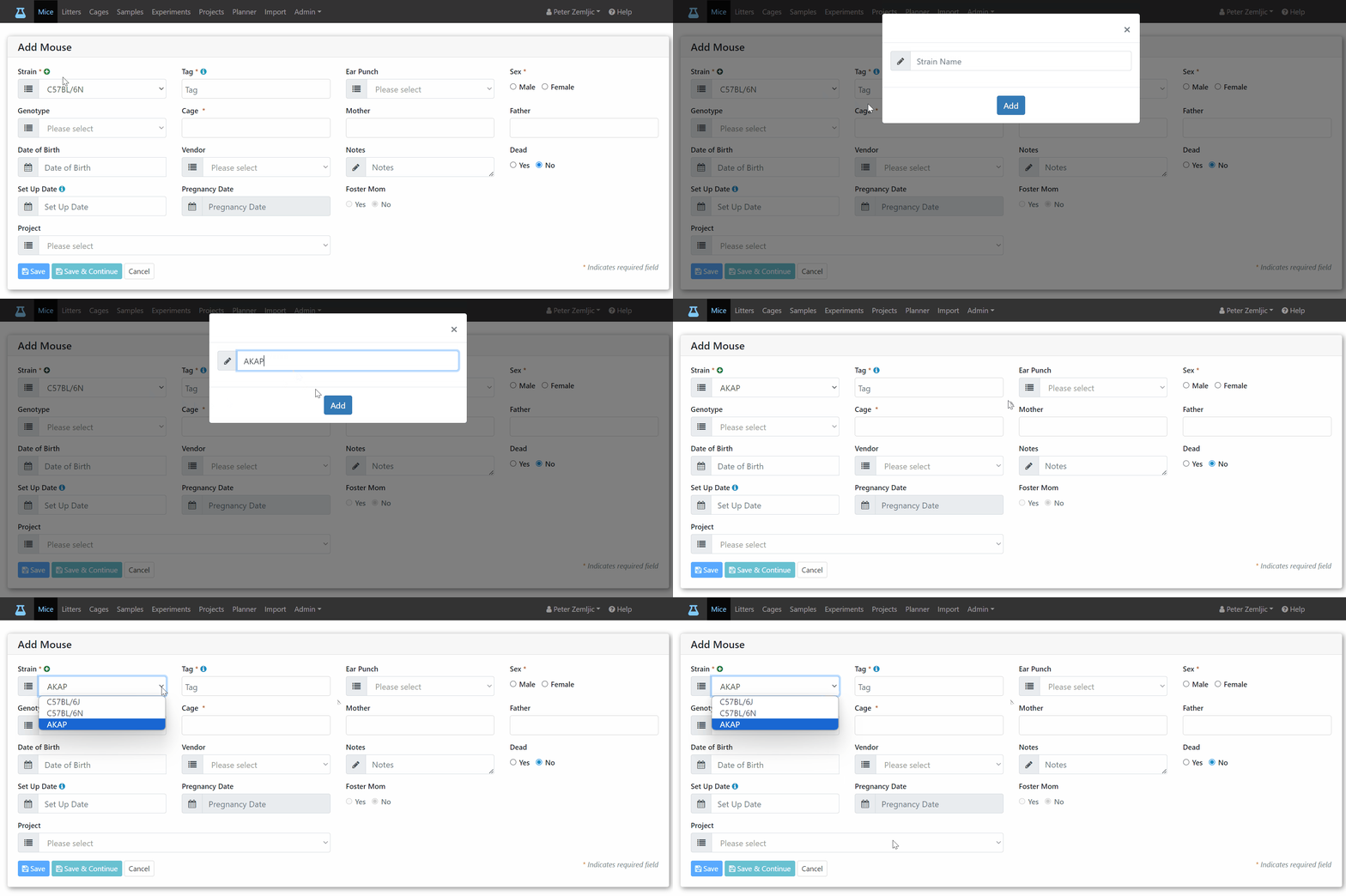
Whenever there is a limited number of values available for a field such as strain, ear punch, or genotype, you can pick a value from a list rather than typing it into a table cell. This avoids typos and variations which can make it hard to find data. With a pick list, you simply add a new value once so everyone can choose it from the list.
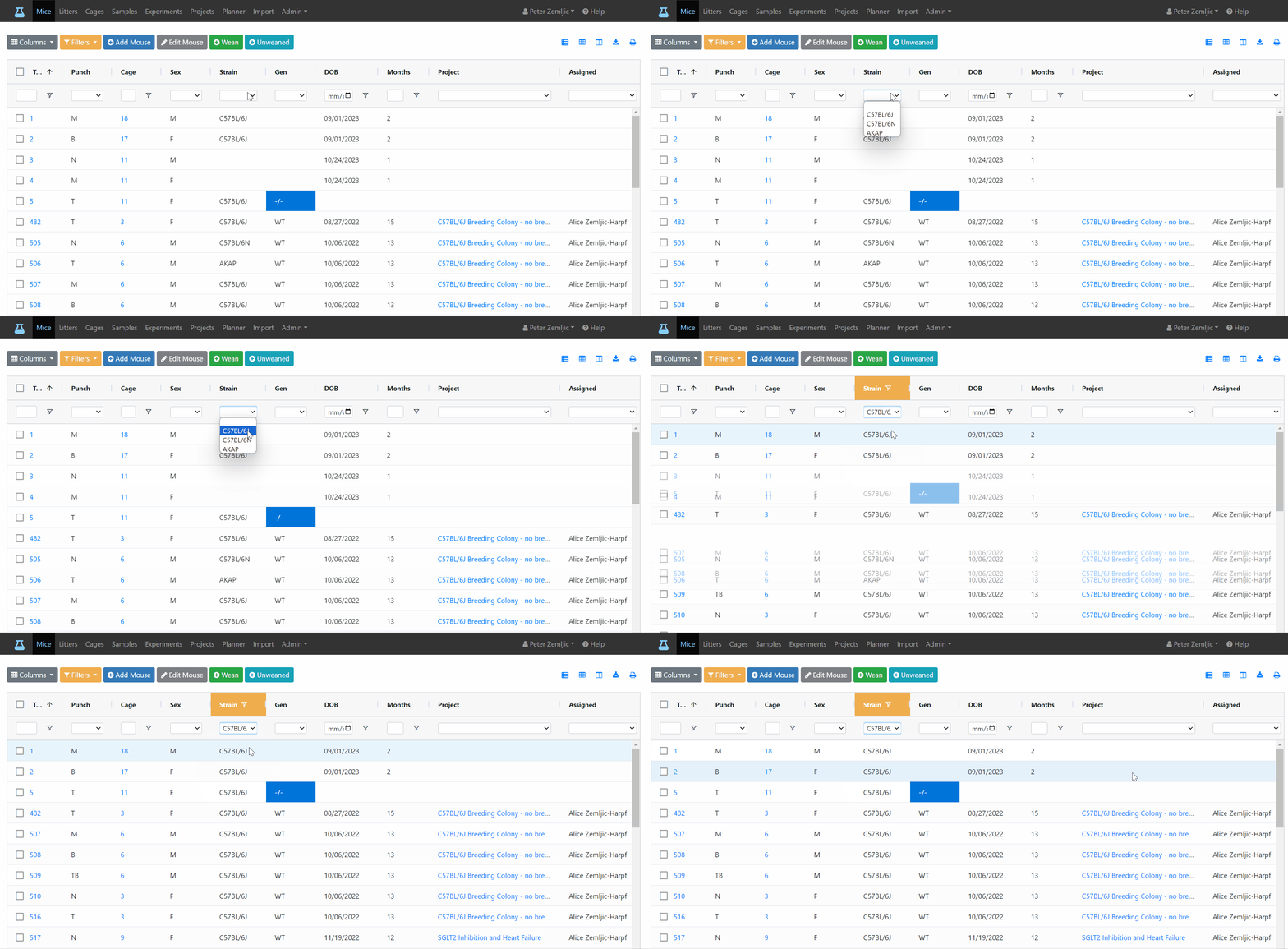
The same list is used to filter entries (e.g., only show mice of a certain strain, genotype, or project).
Input Validation
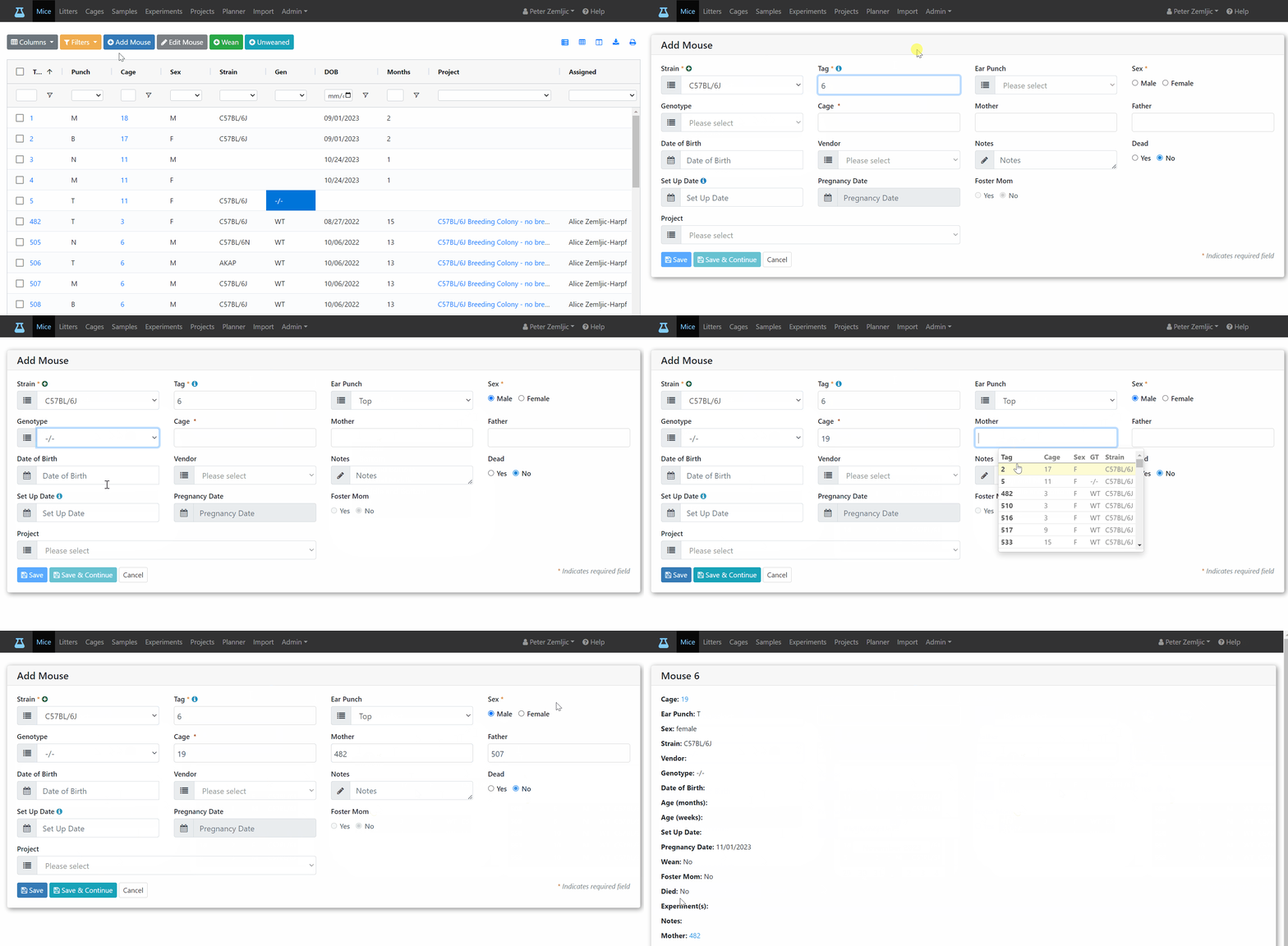
Certain values often only make sense in certain cases. E.g., a pregnancy date should only be available for a female mouse, or a set-up date should only be available for a breeding cage with male and female mice. The Mouse-Cloud UI automatically hides or disables input fields which don’t apply.
When entering a tag number, it automatically suggests the next increment which is typically the case when using tag rolls. You can overwrite that suggested number (e.g., when starting a new tag roll). Mouse-Cloud makes sure that the entered value is unique amongst living mice in you colony.
When moving mice between cages, it prevents you from putting too many into one cage.
It even suggests the cages with the least number of mice first to spread mice evenly. Since cage costs usually depend on the number of cages rather than mice, this can cut costs significantly. Your estimated cage costs are displayed above the cage view.
Data Consitency
Mouse-Cloud can even update fields automatically. For example, when moving males and females into the same cage, it assigns the current date for set-up unless provided otherwise. When moving pups out of their mother’s cage, it automatically assigns a wean date. Automatically assigned values can be changed later.
Access Control
Mouse-Cloud accounts can have the following roles (permissions).
- View
- Edit
- Delete
- Lab Admin
As the first person of a lab, to sign up on Mouse-Cloud, you become the lab admin. With this role, you can invite other users to join and assign them a role. Permissions are inclusive, meaning that edit can also view or delete can also edit.
Version Control
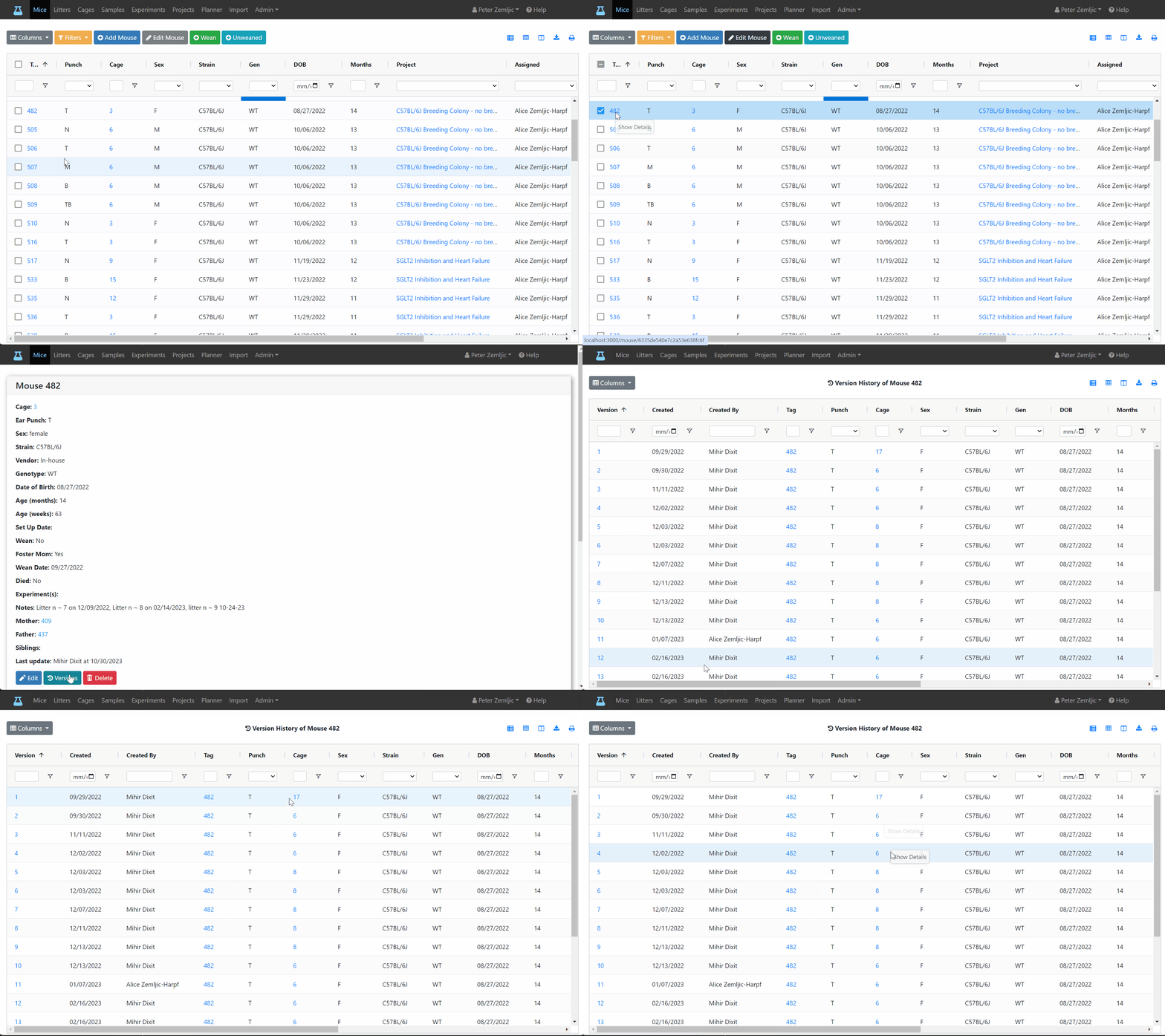
Every single change to a mouse gets tracked and creates a new version of that mouse. The version history shows each version as a table row making it easy to compare find changes. It also shows who made that change and when.
Tracking Samples
Have you ever looked through your minus 80 freezer and wondered where some of the samples came from. Some may have been labeled wrong or not at all. The postdoc who put them there may no longer work at your lab. Mouse-Cloud lets you track sample locations by room, freezer, shelve, and box so you'll never have to waste time searching for the, or even worse, loose weeks of work because you can’t find them.